Showing posts with label ActiveSync. Show all posts

Wednesday, February 13, 2013

Apple Screws Up iOS EAS Implementation AGAIN! - Exchange Suffers


Has your Exchange 2010 CAS recently started experiencing heavy CPU, insane transaction logs growth (aka DoS), Apple might be the cause. Apple released iOS 6.1 last week (beginning of Feb) and it has a "slight" EAS bug in it. ;-) Another bonus... it drained iOS batteries and wasted data bandwidth. So bad... Vodafone txted all iPhone users to NOT upgrade to 6.1. Oops.... and 6.1.1 doesn't fix it...

You would think a large company (aka Apple) that prides itself on releasing "amazing products" would not repeat their mistakes in the past (iOS 4), but sadly history is repeating itself. iOS 6.1.1 fixed another problem. This is why I am not a fan of EAS. It's buggy since vendors don't have a real incentive or pressure to make sure EAS works well. Sure, Microsoft releases "guidelines" and crosses it's fingers vendors follow, but it's a frequent problem. I know, since I see the EAS connections logs and the Exchange problems they cause. I'll post in the future, how to look this up in your Exchange logs. I'm leaving EAS soon enough... I'll be happy to return to the BlackBerry ecosystem when the Q10 is released. That's another post...

See the Microsoft KB article, but to summarize, there are is a quick fix:

- delete the Exchange account from the iOS device and re-add

iOS 6.1 EAS Bug - Workarounds

iOS 4 EAS Bug (walk down memory lane)

-Ben

Friday, March 16, 2012

NYExUG 3/12 Meeting Follow-up - Troubleshooting Tips

We had an excellent Exchange User Group meeting this past Tuesday about Troubleshooting Tips. Even though we ran later than we had in a while, we could not cover everything. I've highlighted comments and feedback received during the meeting and after. Thank you to everyone for your feedback. This is what makes us a community.

NYExUG Exchange Troubleshooting and Tips Presentation

Correction: the Exchange Server User Monitor (ExMon) tool does not list ActiveSync versions, but other AS performance stats.

Dirt cheap $60 UCC/SAN (5 names) certificate I recommend is https://certificatesforexchange.com/ which is backended via GoDaddy.

RDP Manager I use is called RoyalTS ($35) which has a lot of flexibility, functionality, stability, and works on XP and above. http://www.code4ward.net/main/

Website tool highlights from my presentation


Attendees Feedback (thank you)

  • The website designed to check your TLS configuration. http://www.checktls.com
  • "Out of control transaction logs. On a number of occasions we have had the transaction logs grow significantly (one every second or so). This can be caused by a rogue application sending emails via your HT or a bad out of  office configuration. We have experienced both.  The last one was a user's out of office settings. They had used the rules section in the out of office. Viewing the transaction log showed the user forwarding the same email every second or so. Turning of the out of office resolved the issue."
  • Exchange environment summary report based (# of Exchange Servers & mailboxes, DB sizes, DAG status, etc.  http://www.stevieg.org/2011/06/exchange-environment-report
  • Post on troubleshooting ActiveSync issues from the Exchange Team Blog.  http://blogs.technet.com/b/exchange/archive/2012/01/31/a-script-to-troubleshoot-issues-with-exchange-activesync.aspx
  • Tony Redmond wrote an excellent article about ActiveSync not working as a result of 2010 user being a member of the priv’ group on his blog site. If he’s truly 2003 user, then the only thing I can think of is setting up similar profile on a different iphone. If that stil doesn’t work then it’s the account & he may need to look into deleting the EAS association via adsiedit & redo the EAS profile on the device. An Exchange MVP (Michael B Smith) has commented several times in the past on the MSExchange forum re: the ills people have been experiencing with iphones – in our own environment we’ve seen disappearing emails/corrupted calendars/and all sorts of wackiness. I can forward forum posts if people are interested but my desktop team has been beaten into submission about what to do/not to do when it comes to syncing EAS devices with Exchange.  http://thoughtsofanidlemind.wordpress.com/2010/10/08/ex2010-insufficient-access/
  • Free Microsoft RDP manager mentioned was Remote Desktop Connection Manager (I didn't like the last version, so I know nothing about this one -Ben)  http://www.microsoft.com/download/en/details.aspx?id=21101


Any comments, post them or email me. Thanks.
-Ben

Thursday, April 28, 2011

New Microsoft ActiveSync Compatibilty Program fails on helpfulness

Ehlo All,

Curious about knowing...
  • what ActiveSync functionality is available with which version of Exchange?
  • which mobile devices have higher Active Functionality?

Well, this new Microsoft ActiveSync compatibility program for OEMs won't help, but read on about it.
Microsoft recently announced the Exchange ActiveSync (EAS) Logo Program for OEMs (think HTC, Google, Apple, Motorola, Microsoft, etc) which should have been used to identify and bring clarify to the level of EAS support a mobile device included. Sadly, it does not do this since there is 1 level for EAS Logo Program and it includes very basic functionality. So, if the device says "ActiveSync", this is pretty much equal to the EAS Logo Program. BK (author of post below) had it right that there should be multiple levels. For example, "basic", "enhanced", "ultimate". So, if an ActiveSync device said "Ultimate", you would know it supports every feature under the sun for EAS against Exchange 2010. Oh well, maybe version 2 of the program will get this improvement.

Windows IT Pro Post about new EAS Logo Program by BK Winstead

-Ben

Sunday, April 24, 2011

Fixing ActiveSync on an Exchange 2007 Server

Ehlo All,


So, a client's iPhone with ActiveSync stopped working with their Exchange Server 2007. If rebooting and deleting and setting it back up doesn't fix it, confirm your server's AS is working. An good way to do this is to test with Microsoft Exchange test website found here. So after some investigating, it turned up that the IIS Virtual Directory for "ActiveSync" wasn't responding correctly. One can test this by "https://myservername/Microsoft-Server-ActiveSync" and make sure it prompts for a username and pwd. My client's server didn't do that. It reported 501 service unavailable error. I therefore deleted the ActiveSync virtual directory and re-created it and it fixed the issue. A great blog posting to explain this can be found here. To clarify, the "XXXXX" in his example for normal Exchange installs is "Default Web Site".


Handy URLs:
Detailed instructions on deleting and recreating virtual directories for Exchange 2007
http://my.opera.com/RavenOverride/blog/2009/06/17/how-to-recreate-all-virtual-directories-for-exchange-2007

Microsoft's Test Website for Exchange/ActiveSync/Outlook/SMTP
https://www.testexchangeconnectivity.com

-Ben

Saturday, December 25, 2010

The Truth Behind ActiveSync & Enterprise Licensing

Hello All,

Sadly I see this happen more often than it should. A potential client was lied to by another IT vendor's sales team. They claimed that for "iPhone ActiveSync remote wipe functionality, the Enterprise Client Access Licenses were required for Exchange Server 2010". Turns out this is a lie! Oops... caught by me.

The Enterprise Client Access License (aka eCAL) does not relate/control remote wipe for ActiveSync. The eCAL adds the following control for ActiveSync clients that support these features. Both server and client side need to support these ActiveSync policies for them to be in effect. Make sure you read that last sentence twice. I've put that in bold for you. This is critical in your understanding of ActiveSync device features. Pretty much each device that includes ActiveSync offers varying levels of ActiveSync capabilities.

iPhone support remote wipe (they also offer a limited capabilities for ActiveSync). The available ActiveSync functionality on the iPhone is documented here.

List of Exchange Server 2010 Enterprise Client Access License (eCAL) Functionality Abilities (screen-shots below)
Allow removable storage
Allow camera
Allow Wi-FI
Allow infrared
Allow Internet sharing from the device
Allow remote desktop from the device
Allow synchronization from a desktop
Allow Bluetooth
Allow browser
Allow consumer mail
Allow unsigned applications
Allow unsigned installation packages

-Ben


Sunday, March 29, 2009

Free Microsoft Internet Tool for Verifying Exchange is setup correctly

Ehlo All,

"Have you ever installed an Exchange server and wanted to verify your Internet facing services were setup and configured properly? Things like Exchange ActiveSync, AutoDiscover, Outlook Anywhere (RPC/HTTP), and inbound email." Well, the Microsoft Exchange Team Blog finally announced an Exchange testing website I used in a presentation months ago. It's a great time saver. It's called Exchange Remote Connectivity Analyzer (ExRCA) tool which can be accessed at https://www.TestExchangeConnectivity.com.

This is a great free resource. Available for:
- Exchange 2003
- Exchange 2007
- Windows Mobile 5
- Windows Mobile 6.1+

Enjoy,
-Ben

Tuesday, January 27, 2009

Non-Windows Mobile Issue relating to ActiveSync with Exchange 2007 SP1

Ehlo All,

If you attended the October 08 meeting of the NY Exchange Server User group (NYExUG), you would have learned that ActiveSync is a different beast for Windows Mobile (e.g. HTC Touch, iPAW Hwxxx, etc) & licensed ActiveSync devices (e.g. iPhone, Palm Treo, etc). So, when I recently upgraded from Exchange 2003 to Exchange 2007 SP1 (on Windows 2008 - I like pain), I was hoping ActiveSync would just work. Nope, I was out of luck. End user Palm 700p error of AirSAMStateMachine.c 1913 4628. But the fix was pretty easy IF you know the PowerShell command. IF is the key word there.

So, as always, first step of troubleshooting, is to Google the error and see what comes up. I quickly found that ActiveSync's default security policy was probably the cause of the issue. And I crossed my fingers and ran the following command (bold italics on 1 line) below. Also, don't just run commands like I recklessly did, but find out what exactly it's doing and how to reverse it in case all hell breaks loose. This is a mission critical application.

Start --> Programs --> Microsoft Exchange Server 2007 --> Exchange Management Shell
Remove-ActiveSyncMailboxPolicy -Identity "Default"

Then magically, ActiveSync started working. Just so you know, below is the Microsoft TechNet article that explains the various options available in ActiveSync policies. There are many more settings that can be controlled in Exchange 2007. I'm not sure which setting caused the issue, but at least I have 1 less screaming user which makes exploring and research the options more enjoyable.

http://technet.microsoft.com/en-us/library/cc182294.aspx

-Ben

Sunday, January 6, 2008

First Hand Feedback of ActiveSync, Blackberry, and Good Wireless Syncing


I'm a heavy email user. Maybe heavy isn't accurate, excessive/addicted email user/admin. So, I'm always looking for the best client side PDA email solution for my needs (since Outlook is on my desktop and laptop).

Digress
I digress for 1 paragraph.... on the PDA side of things, my 1st PDA (Kyocera 6035) was Palm OS based and the concept of replacing/upgrading a PDA/phone and simply syncing it and watching all the contacts re-appear was such a great idea, I swore never to go back to a "simple" phone (e.g. Razor, etc). My current (as of Jan '08) phone is still based on Palm OS (I don't need to get into the religious wars on why now), but I recently upgraded from the Palm 700p to Palm Centro). If you're wondering why, the hardware & software is the same, it's the form factor. Oh, back to the point of the post.

Intro to syncing
When I first started using the Palm OS, Palm (technically a 3rd party) had licensed the ActiveSync functionality to allow syncing of one's calendar, contacts, and email to an Exchange Server. So, I tested that out, and it was fine until I started running into other problems when one adds SSL and make sure other security enhancements to IIS. This broke ActiveSync, and after spending many hours troubleshooting it, I resolved it. But, in the past few years, every so often an IIS update or other weirdness just happens and I need to troubleshoot what's broken (delete my IIS config and reload it [what a pain]). The other thing I didn't like was typing was too slow on the Palm hardware. On Research in Motion's side, the Blackberry (aka BB), I can touch type and type faster on my BB than many folks on a standard computer keyboard. In other words, the keyboard is excellent on the BB. It's simple designed for typing emails. My first jump onto the BB ship was the Blackberry 6750. Excellent BB, even though it's a bit tall, allows for a lot of email to show. I know it's B&W, but who cares when it's email (I have a color BB 7250 now, I don't need any donations ;-). Then about 3 months ago (Oct or so) I had the opportunity to test out Motorola's Good Technology. I've know about Good and have heard it's the most feature complete out of the BIG 3. I refer to those as Microsoft ActiveSync, RIM's Blackberry Exchange Server (aka BES), and Motorola's Good Technology's Mobile Messaging (aka GMM).

Testing out GMM (Good's Mobile wireless sync solution)
Most folks would probably watch a flash demo and read the product datasheet. I decided it was worth the time to see if I could combine all my needs on 1 device, my Palm Centro running the Palm OS and replace my Blackberry (FYI: Palm hardware can run Palm OS or Windows Mobile OS. Palm is now a hardware vendor. It's confusing, I know). Many folks are amazed I carry 2 devices, then again they probably think about productivity & efficiency like I do. So, I fired up VMware Workstation on my test computer and powered on an available Windows 2003 Server OS and started the install of GMM (there were a # of steps in between, such a VPN site a site to site link so I could connect to my Exchange Server at the colo facility it's housed in and test to insure the latency was low enough, it all passed). Then I started testing GMM on my Centro. The GMM functionality is impressive but you need to use the Good applications which are loaded on the handheld (Pro & Con) wirelessly of course. They run a bit slower (e.g. switching between views, opening, closing, etc) than the built-in ones (e.g. calendar, contacts, etc), but have features that BES & ActiveSync 5 with an Exchange 2003 server don't (e.g. flagging, searching, etc). I was very impressed with GMM except for the fact the hardware's battery usage on EVDO (on Sprint) can barely handle a day of usage & password protected units take about 2 seconds to unlock (not sure why it's so slow, but that's AFTER you enter the password and click OK). So, after almost a whole day of syncing (I receive about 150 messages and send about 100 messages a day), battery life was almost dead on a new fully charge Centro. Based on that usage, the battery life was a serious issues. So much, I had to give up the Good functionality and returned to the basic ActiveSync on my Palm for quick reviewing of email on weekends when I might step out without my Blackberry.

Summary
- the GMM is an excellent synchronization solution for devices & users usage that can handle the always on network needs. I would consider it the most feature complete solution among the big 3.
- Good has better documentation than Microsoft & RIM on implementation (it's so detailed they explain how to uninstall and remove GMM, impressive)
- RIM's Blackberry hardware is a generation ahead of Palm & Windows hardware for battery usage on always on email
- RIM's Blackberry hardware allows for the fastest typing and I would consider it the gold standard for email synchronization
- ActiveSync is a good solution for low usage and companies not willing to pay for additional functionality besides the basic email, calendar, contacts, etc sync (e.g. more support, functionality, logging, etc).
- Good's sync is partnered with Palm & Windows Mobile hardware, which is a strength & weakness as I explained above. Good previously had RIM similar hardware, not sure when they stopped offering it.

My Final Thoughts
GMM is excellent, the probably is the hardware. So, if and when a hardware solution is smaller than a Blackberry with full keyboard and offer similar or battery battery life, I'll consider returning. Until then, I'll be waiting since I'm not a big fan of the current Mobile devices. I consider them too large or with keyboards that simply don't match those of the efficiency of RIM's Blackberrys.

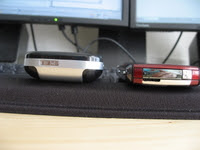
Here is a photo comparison of my wife's Blackberry Pearl and my Palm Centro. I had originally hoped this Centro would be the sole device I carry. No thanks, I'll happily carry both (Centro & BB).
